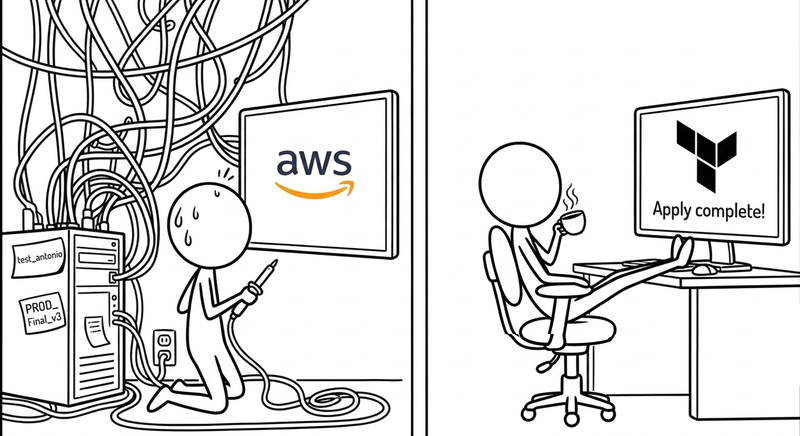
Infrastructure as Code: Why Your Infrastructure Deserves Version Control Just Like Your Code
Posted on March 30, 2026 • 24 minutes • 5107 words
Table of contents
- The crime scene: life before IaC
- What is Infrastructure as Code (and what problem does it solve)?
- Is IaC right for you? (no hand-waving)
- The landscape: Terraform, OpenTofu, Pulumi, CDK, and the rest
- Why your infrastructure deserves
git logjust like your code - The real cost of adopting IaC
- The risks: automating the screw-ups too
- I already have infrastructure: now what?
- A reasonable workflow for surviving the first month
- Mini-example: an EC2 with Terraform, no dark arts required
- Quick glossary
- Sources and references
For years we’ve treated infrastructure and software as two separate religions, each with their own gods, their own rituals, and most importantly, their own people to blame. The code lived in Git; the infrastructure lived “in AWS,” some ethereal thing that “we manage with scripts and the console.”
But the truth is your infrastructure already behaves like software: it has state, dependencies, bugs, versions, and side effects when you change it.
Infrastructure as Code isn’t so much a trend as it is an exercise in intellectual honesty: accepting that if your product runs on ten cloud services, dozens of resources, and three environments, pretending the infrastructure is just “three servers” is delusional. When it breaks, it breaks the way code breaks — from changes that weren’t thought through.
The difference is that you version your code. Your infrastructure, if you don’t do anything about it, you just poke at manually. And at this point, that borders on reckless.
The crime scene: life before IaC
It’s 2:37 PM on a Friday. Someone in the incidents channel writes “production is down.” The person who manages infrastructure is on vacation in Lanzarote. The repo has a README.md where the “How to spin up the environment” section says “see internal docs” — and the internal docs are a Google Doc last edited in October 2022, optimistically titled “DRAFT - infra v2 FINAL FINAL2.”
Nobody knows exactly what’s running in production. There are screenshots of the AWS console pasted into Confluence that no longer reflect reality — the interfaces have changed twice since then — and a bash script called setup_USE_THIS.sh that has a TODO: fix the ports thing that’s been sitting there for sixteen months. The firewall has open ports nobody remembers opening. There are three EC2 instances nobody knows the purpose of, but nobody dares shut down. One of them is called test2_def_FINAL and has been running up a bill since 2021.
Welcome to the snowflake server , the anti-pattern Martin Fowler described over a decade ago that is alive and well at countless companies: a server so customized, so packed with manual configs, ad hoc patches, and decisions that “made sense at the time,” that it has become unique and irreproducible. Like a snowflake, yes: beautiful, one-of-a-kind, and doomed to melt at the worst possible moment. Nobody knows what’s inside, and the honest answer to “could we rebuild it if it went down?” is “technically yes, but it would take days and a lot of prayer.”
This pattern has a more modern, apparently more sophisticated cousin: the phoenix server done badly. The theory says a phoenix server burns down and rebuilds from scratch on a regular basis , so it never gets stuck in a state you can’t reproduce. The reality at many organizations is: “we have a script that brings it up, but only Marcus has ever run it, and Marcus doesn’t work here anymore.” The result is the same snowflake wearing a phoenix costume.
It’s not that people are careless or irresponsible. It’s just that clicking is the path of least resistance, especially early on. Console open, resource created, problem solved, meeting in ten minutes. The bill doesn’t come due until months later, when you need to reproduce that environment in staging, audit it, or recover it after an outage. By then, the knowledge lives inside the head of someone who might be on leave, on another continent, or who simply doesn’t remember exactly what they did.
Amazon sums it up with the cold efficiency of someone selling the solution: manual processes are slow, error-prone, and don’t scale. But the real impact is more human than technical: Friday at 2:37 PM, everyone staring at each other, nobody with anything to deploy — that’s the deferred cost of not writing anything down.
What is Infrastructure as Code (and what problem does it solve)?
Infrastructure as Code (IaC) is the practice of defining and managing infrastructure resources — virtual machines, networks, load balancers, databases, IAM roles, etc. — through versionable text files, instead of clicking through a console or firing off one-off commands from your terminal.
In practice, IaC addresses four headaches that every team managing infrastructure knows well:
First, repeatability: spinning up a new environment shouldn’t require hoping someone remembers “the exact steps.” With IaC, the “exact step” is running the same code against a different account or region.
Second, traceability: every infrastructure change leaves a
git diff. You know who opened that port, who changed that instance type, when, and — if you’re lucky — why.Third, consistency: staging and production stop being distant cousins that “roughly look alike” and become, within reason, born from the same codebase. Less “it works on my environment” and more “we ran the same plan in both places.”
Fourth, automation: if your CI/CD already deploys code, why would you keep managing half the system by hand? IaC lets infrastructure creation and updates be part of the same pipeline, complete with reviews, approvals, and security controls.
There’s one concept that separates real IaC from “a bash script with good branding”: idempotency .
An idempotent operation produces the same result no matter how many times you run it.
If you run terraform apply and the infrastructure you describe already exists, Terraform doesn’t stack another copy on top of it: it checks the current state, compares it to the code, and only acts on the differences. If there are no differences, it does nothing. This seems obvious until you contrast it with the world of imperative scripts, where running create_server.sh twice can end up with two servers, a doubled bill, and an uncomfortable conversation with the finance team.
Red Hat , AWS, and others have been singing the same tune for years: IaC reduces human error, speeds up deployments, and makes your “DevOps transformation” pitch slightly less hollow.
Is IaC right for you? (no hand-waving)
This is where most IaC articles cheat: they explain what it is, how great it is, and take it as given that the answer is “yes, adopt IaC right now.” But that’s not shooting straight with you, and you deserve a more useful answer.
Probably yes, if…
Your team has more than one person touching infrastructure. If there’s only one person who “knows how everything is set up,” you don’t have an IaC problem — you have a bus factor problem, the uncomfortable question of what happens if that person leaves or gets hit by a bus. IaC doesn’t solve turnover, but it does make the knowledge live in a repo instead of someone’s head.
You’re managing more than one environment (dev, staging, production, client demos, security testing…). Once you have two environments you want to look alike, the cost of keeping them in sync manually starts eating into your time in ways you didn’t see coming.
You’re working in the cloud and your resources change frequently. Scaling, changing instance types, adding regions, adjusting permissions — every one of those manual operations is an opportunity for a mistake or an oversight. If your infrastructure genuinely never changes, the math is different.
You have compliance or audit requirements. If someone can ask you to prove who changed what resource and when, a git log is infinitely better than “well, I think it was Alex sometime in 2024.”
Probably not (yet), if…
It’s a personal project, a weekend experiment, or something you’re going to throw away in three months. IaC has real startup costs: writing the code, learning the tool, wiring up the pipeline. If the project is more likely to die than grow, that investment won’t pay off.
You have a single simple instance and you’re not adding more. One VM that never changes, managed by one person, in an environment that never needs to be reproduced. In this case, IaC is a sledgehammer for a nail that doesn’t exist.
You’re in the middle of learning cloud and you don’t fully understand what resources you’re creating yet. Before automating, it helps to understand what you’re automating. Clicking around the console at first isn’t a sin — it’s exploration. The problem is staying there once you know what you need.
The rule of thumb that circulates among senior engineers goes something like: if you’re going to create the same resource more than twice, or if more than one person needs to understand how your infrastructure is set up, start taking IaC seriously. Before that, it’s premature optimization.
The landscape: Terraform, OpenTofu, Pulumi, CDK, and the rest
There are three tools that show up in every modern guide : Terraform/OpenTofu, Pulumi, and CDK.
Terraform was king of the hill for a long time: its own declarative language (HCL), support for virtually any cloud provider, thousands of community modules. You write “I want a VPC, these subnets, these security groups, and an EC2” and Terraform talks to the AWS API, figures out what to change, and applies it. Very civilized: plan to see what would happen, apply to make it happen.
Then came the Netflix clause.
Well, it wasn’t actually called that. But close enough.
In 2023, HashiCorp changed Terraform’s license from MPL (good old open source) to the Business Source License (BSL): you can read the source, but there are serious restrictions on other companies building competing commercial services on top of it. The official rationale: “we don’t want hyperscalers using us as a foundation to make money without contributing back.” The side effect: hundreds of teams and vendors who had bet on Terraform started smelling vendor lock-in and saying “hold on a second.”
The response was OpenTofu : a Terraform fork backed by the Linux Foundation, with the same HCL syntax and the same philosophy, but under a genuinely free license. The OpenTofu manifesto is basically a love letter to old-school open source and a graceful middle finger to HashiCorp: “thanks for everything, but we’re taking it from here.” Today, serious IaC comparisons often frame the choice as Terraform vs OpenTofu depending on how much the BSL implications worry you.
On the other end of the spectrum, Pulumi asked: “what if we wrote IaC in real languages?” No HCL, no YAML: you use TypeScript, Python, Go, C#, or whatever you prefer, with libraries that model AWS, Azure, GCP, and other providers. The upside: you can reuse your existing ecosystem — typing, libraries, tests, everything you already know. The downside: the community and module catalog are still smaller than Terraform/OpenTofu’s, and you tend to get more tied to the Pulumi platform itself.
Finally, AWS CDK (and its cousins in other clouds) plays the “if you’re already in my house, stay a while” card: you define your AWS infrastructure using high-level constructs in TypeScript, Python, Java, or some other language of your choice, which then compile down to CloudFormation under the hood. It’s a dream if you live exclusively in AWS and don’t care about multi-cloud; less useful if you want the same stack to run in Azure tomorrow without rewriting half the project.
Recent comparisons come to the same conclusion: Terraform/OpenTofu for multi-cloud and massive ecosystem; CDK if you’re all-in on AWS and not going anywhere; Pulumi if your dev team wants IaC in the same language as the backend and is okay with a steeper learning curve.
One last variable that rarely shows up in tutorials is money.
The Terraform and OpenTofu CLIs are free. The difference starts when you need remote state management for a team, integrated CI/CD pipelines, or fine-grained access control: Terraform Cloud starts free with limited usage and scales to around $20/user/month on the Team plan. OpenTofu, being pure open source, has no paid tier of its own: you use whatever remote backend you want (S3, GitLab, etc.) and pay for that, not the tool. Pulumi has a free tier with limited state history and jumps to around $50/month for the Team plan. AWS CDK is free as a tool; you pay for CloudFormation if you exceed a million API calls per month, which basically never happens in normal projects. The takeaway: for a small or medium team, the direct cost of the tool is rarely the deciding factor. The real cost is in learning and migration time, which we’ll get to next.
Why your infrastructure deserves git log just like your code
Imagine if your code were maintained “by clicking”: copy-pasting from Stack Overflow straight into production, editing files by hand, no version control, no pull requests. You’d laugh. Or cry.
That’s exactly what’s still happening with infrastructure at a lot of companies.
When you describe your infrastructure as code, a few near-magical things happen:
Your servers, networks, and permissions stop being “whatever mysterious state is in the console right now” and become something you can read and discuss. You can run git blame on a security group the same way you’d run it on a function. You can see, in a PR, that someone is proposing to open 0.0.0.0/0 on port 22 and respond with a heartfelt “are you serious right now?”
Your environments stop being mutant creatures. Staging and production are configured with the same modules, the same templates, swapping out variables (region, sizes, accounts) instead of repeating clicks. They’re not identical twins — there are always quirks — but they stop being strangers.
And most importantly, you can roll back with some degree of order. If you apply a change that breaks half your stack, you have a specific commit to revert or fix, not a chain of “I think I touched this and then that” done through a browser over the course of six months.
Red Hat summed up the pros of IaC in three words: speed, consistency, and control. The cons, mostly, are that your design mistakes are now codified and can replicate everywhere. But honestly, you were making those mistakes before; at least now you’re leaving a trail.
The real cost of adopting IaC
Let’s be clear: IaC is worth it. But there’s a difference between telling you “it’s worth it” and helping you understand what you’re signing up for before the investment starts paying off.
The initial learning curve
If you’re coming from the “click and it works” world or from shell scripts, your first few weeks with Terraform or Pulumi will be… interesting.
HCL isn’t hard, but it has its quirks: locals blocks, implicit dependency management between resources, loops that aren’t quite loops, interpolation functions. Studies and surveys of teams that adopted IaC
consistently show that productivity drops for the first two to four weeks while the team learns the tool and the patterns. That’s not a failure; it’s the toll of any paradigm shift. But it’s worth planning for, rather than discovering it the Monday before a deadline.
The migration tax
If you already have infrastructure running, adopting IaC doesn’t start with “create new resources” — it starts with the tedious process of describing in code what already exists.
Before you see any benefit, you spend time writing Terraform/OpenTofu for resources that are already there, importing them into state, verifying that plan doesn’t destroy anything, and convincing your coworker who’s had the console open for three years that this isn’t a waste of time. This tax is real, and the technical literature calls it the “brownfield problem”
: migrating existing infrastructure is always slower and less glamorous than starting from scratch.
Human resistance
There’s a character in almost every team: the person who “knows how everything is set up.”
That person has accumulated years of implicit knowledge, and the arrival of IaC means externalizing that knowledge to a repo where anyone can see it, question it, and change it. That’s not always welcome.
Adopting IaC is as much a change management exercise as it is a technical one. If the team isn’t aligned, the common outcome is having both worlds: the “official” IaC code and the manual changes that keep happening because “it was faster.”
When it starts paying off
The moment most often described in retrospectives from teams that made the transition is this: the first time someone with less experience on the team spins up a brand new environment completely on their own, without asking anyone, just following the repo.
That moment — usually somewhere between month one and month three — is when the ROI becomes tangible and the skeptics start going quiet. HashiCorp documents it as the second stage of adoption : going from “one person uses it” to “the whole team trusts it as the source of truth.”
The risks: automating the screw-ups too
IaC isn’t a silver bullet; it’s a different way to make mistakes, but leaving a trail.
One of the biggest fears in security circles is cascading misconfiguration . Before, it was enough for someone to open one too many ports on a server: minor problem. Now, if your “standard” security component has a flaw, you’ll replicate it across every account, every region, and every environment with breathtaking efficiency.
CrowdStrike and others have been warning about this for years: moving infrastructure to code without baking security into the same pipeline is a recipe for disaster — though, coming from the company that took down eight and a half million Windows machines with a bad update in July 2024 , it’s a bit like having the arsonist explain how to install fire extinguishers.
Anyway — if you run plan and apply without going through configuration scanners, policy validation, or at least a halfway decent review, all you’ve accomplished is failing faster and in more places at once.
Another classic is treating secrets like sticky notes. Passwords, API keys, access tokens — all embedded in .tf or .ts files and cheerfully committed to repos. Every IaC article you read will repeat it like a mantra: secrets always go in a dedicated secrets manager (Vault, AWS Secrets Manager, SSM, etc.), never hardcoded in infrastructure code.
Then there’s the Frankenstein monster: the IaC project that ate itself. You start with a small repo, add blocks, wire in conditionals for ten clients, five clouds, three continents, and before you know it you’ve got a file tree that looks like the script for a very long telenovela. Nobody knows what depends on what, people are afraid to touch anything, and you’ve gone from “declarative infrastructure” to “declarative puzzle from hell.”
Best practices insist on the boring-but-effective stuff: modularize, separate by domain (networking, compute, data…), don’t mix production with personal environments, and document clear patterns so every team doesn’t invent its own religion of components.
And speaking of quiet horrors: the Terraform state file (terraform.tfstate) deserves its own paragraph of warning.
That file is the map between your code and the real resources that exist in the cloud. Without it, Terraform doesn’t know what it created, what it manages, or what to leave alone.
The classic problem happens when that file lives on someone’s laptop: if that person leaves the company, has a hardware accident, or simply doesn’t have a VPN connection when there’s an emergency, your ability to manage infrastructure is in jeopardy. The most dramatic scenario — and the most documented in Terraform forums — is concurrent applies
: two people run apply at the same time against the same state, the file gets corrupted, and the result is a partially applied infrastructure that neither Terraform nor the AWS console can describe coherently.
The solution is to use a remote backend with state locking: S3 + DynamoDB in AWS, Terraform Cloud, GitLab-managed state, or any other option that guarantees (a) the state doesn’t live on a personal machine and (b) only one executor can modify it at a time. This isn’t optional when more than one person is on the team; it’s as basic as not keeping your credentials on a sticky note.
I already have infrastructure: now what?
If you’re coming to this article with infrastructure already running — servers, networks, databases, IAM roles — the inevitable question is: “how does this fit in?” The short answer is: carefully, and one step at a time.
The greenfield scenario is the easiest: you start writing everything in IaC from day one, there’s no legacy to deal with, and the migration cost is zero. It’s the ideal situation, and the one described by virtually every tutorial on the internet — which is mildly infuriating when you have three years of deployed infrastructure.
The real scenario for most people is brownfield: existing, production infrastructure you can’t tear down and rebuild without a very uncomfortable conversation with your team. The strategy that works has two legs:
The first is
terraform import(or its OpenTofu equivalent, which is the same): a command that tells Terraform “this resource that already exists in the cloud — I want you to start managing it.” You write the corresponding code block for the resource, runterraform import <type.name> <resource_id>, and Terraform brings that resource under its state without destroying or recreating it. From that point on, all changes go through code, not the console. It sounds like magic, but there’s a catch: if the code block you wrote doesn’t exactly match the resource’s actual configuration, the nextplanwill show “I’m going to change these twenty-seven properties” and you’ll need to reconcile them by hand. Tedious? Yes. Still worth it.The second leg is incremental migration: don’t try to import your entire infrastructure in a heroic two-week sprint. Start with one service or domain — network resources, for example (VPC, subnets, security groups) — import it, verify that
plancomes back clean (“no changes”), and mark it done. Then move to the next one. This approach is slower on paper, but it avoids the scenario where you’re four weeks in with an IaC repo half-migrated that you can neither apply nor abandon.
Worth noting: Terraform import has gotten much better
since Terraform 1.5, which introduced declarative import blocks in HCL itself instead of requiring a CLI command. OpenTofu has adopted the same feature. Even so, there are complex resource types — IAM policies with many conditions, RDS configurations with dozens of parameters, imported CloudFormation stacks — where manual reconciliation is still a slog. That’s the price of having lived in the console for years.
A reasonable workflow for surviving the first month
Every team eventually finds its own rhythm, but there’s a pattern that tends to repeat.
The first step is choosing a tool without getting swept up in hype: if you’ve already invested heavily in Terraform and you’re worried about the license, you look at OpenTofu; if your world is AWS and you’re not planning to leave, CDK lets you move fast; if your dev team wants to write IaC in the same language as the backend and is willing to take on more of a learning curve, you consider Pulumi.
Rather than migrating everything to IaC like someone who joins a gym in January, you start with one concrete piece: the base VPC, or the compute layer of a core service. You describe that in IaC, test it in a lab environment, iterate, wire it into CI/CD, and when it works, expand from there.
The typical Terraform/OpenTofu workflow has something of a ritual to it (the good kind):
You write or modify code in a branch. You run a plan that shows what’s going to change (resources to create, modify, destroy). You add that plan as a comment on a pull request, so reviewers can see not just the HCL but the consequences. Once approved and merged, a pipeline runs apply against the appropriate environment, with the minimal permissions needed.
In parallel, you add guardrails: IaC linters (to avoid repeating anti-patterns), security scanners (to catch public S3 buckets, 0.0.0.0/0 security groups, etc.), internal policy validation (“every instance must have these tags,” “every database must be in a private subnet,” etc.).
And you establish the sacred rule: don’t touch production manually except in an emergency, and if you do, reflect it in code afterward. Because if you don’t, your IaC stops being the source of truth and becomes fan fiction.
Mini-example: an EC2 with Terraform, no dark arts required
Enough talk — let’s walk through a “hello world” of traditional IaC: spinning up an EC2 instance in AWS with Terraform.
It’s not your bank’s infrastructure, but it’s enough to see how it all fits together.
Assuming you already have Terraform installed and your AWS credentials configured (in ~/.aws/credentials or environment variables), you can create a main.tf file like this:
terraform {
  required_providers {
    aws = {
      source  = "hashicorp/aws"
      version = "~> 5.0"
    }
  }

  required_version = ">= 1.6.0"
}

provider "aws" {
  region = "eu-west-1"
}

resource "aws_instance" "demo" {
  ami           = "ami-0c55b159cbfafe1f0" # Example: Amazon Linux 2 in eu-west-1
                                          # Find the current AMI at: https://console.aws.amazon.com/ec2/v2/home#AMICatalog
  instance_type = "t3.micro"

  tags = {
    Name = "demo-iac-article"
  }
}
From the command line in that folder:
terraform init
to download the AWS provider and get everything ready. Then:
terraform plan
to see what it’s planning to do. You’ll see something like “aws_instance.demo will be created with these properties.” If that looks right:
terraform apply
Confirm when prompted, and Terraform creates the instance in AWS.
If tomorrow you change instance_type to t3.small and run plan + apply again, Terraform will figure out it needs to update the resource — not recreate it from scratch (unless that specific change requires a replacement; it’ll tell you if so).
If you remove it from the code and run apply, Terraform will propose destroying the instance.
Code is king. The console obeys.
In a professional environment, you’d do a few more things:
You’d pull out the variables (ami, instance_type, tags) into a variables.tf. You’d use a remote backend (S3 + DynamoDB, Terraform Cloud, or similar) for state, instead of leaving terraform.tfstate on your laptop. You’d run plan and apply from CI, not your personal machine. And you’d probably migrate to OpenTofu to sidestep licensing headaches down the road.
But as a minimal example, the idea is clear: your server doesn’t “live” in the AWS console — it lives in a text file with history, comments, and the ability to roll back when something goes wrong.
The takeaway is simple: your infrastructure is already software, whether you like it or not.
It has versions, bugs, side effects, and creative ways to fail.
Infrastructure as Code doesn’t guarantee you won’t screw up, but it does mean your mistakes get written down, can be reviewed, and — with any luck — can be undone with a commit rather than lighting a candle to the ChatGPT gods.
Quick glossary
Because running apply without first understanding the vocabulary is exactly the kind of recklessness this article is about.
- AMI (Amazon Machine Image): the “snapshot” of an operating system and its configuration that AWS uses to boot an EC2 instance. Each region has its own AMI identifiers, and official AMIs are updated frequently. You can browse available images in the AWS console AMI catalog
or through the CLI with
aws ec2 describe-images. - HCL (HashiCorp Configuration Language): Terraform’s and OpenTofu’s own declarative language. It looks like JSON but is more readable; it describes what resources you want, not how to create them.
- BSL (Business Source License): the license HashiCorp adopted for Terraform in 2023. You can read the source, but you can’t use it to build competing commercial services. Not open source by the OSI definition.
- IAM (Identity and Access Management): AWS’s permissions system (and, under different names, its equivalent in other clouds). It defines who can do what to which resources. In IaC, it’s managed alongside the rest of the infrastructure.
- CloudFormation: AWS’s native service for defining infrastructure as code in YAML or JSON. AWS CDK uses it as the deployment engine under the hood.
- VPC (Virtual Private Cloud): a virtual private network in AWS. The basic unit of network isolation in the cloud; almost every non-trivial infrastructure starts with defining one.
- Terraform state: the file (
terraform.tfstate) where Terraform stores the map between your code and the real resources in the cloud. If it’s lost or corrupted, Terraform loses the thread. In team environments it’s stored in a remote backend (S3, Terraform Cloud, etc.) so it doesn’t live only on someone’s laptop. - Idempotency: the property of an operation that produces the same result regardless of how many times it’s run. In IaC, it means applying the same code twice against the same infrastructure doesn’t create duplicate resources: if what you’re describing already exists, the tool does nothing. Critical for distinguishing real IaC from glorified imperative scripts.
terraform import: a command (and from Terraform/OpenTofu 1.5, also a declarative HCL block) that brings an already-existing cloud resource under Terraform management without destroying or recreating it. A key piece in brownfield migrations.
Sources and references
Everything cited here has a URL. Unlike your first job’s infrastructure.
- Infrastructure as Code: Benefits and Best Practices - Nix United. Overview of IaC benefits and best practices.
- Glossary: Infrastructure as Code - Port.io. Quick definition of the concept.
- What is Infrastructure as Code? - AWS. Amazon’s official explanation of IaC.
- Infrastructure as Code - Fortinet. Cybersecurity glossary entry.
- Infrastructure as Code - Enterprise Networking Planet. Practical enterprise view of IaC.
- IaC Security - CrowdStrike. Security in IaC and misconfiguration risks.
- Pros and Cons of Infrastructure as Code - Red Hat. Advantages and drawbacks of IaC.
- Infrastructure as Code Comparison 2026 - Oneuptime. Updated comparison of IaC tools.
- AWS CDK vs Terraform - Towards the Cloud. When to choose CDK and when to choose Terraform.
- OpenTofu Announces Fork of Terraform - OpenTofu. Official fork announcement.
- Terraform Licensing Change - KodeKloud. Analysis of HashiCorp’s license change.
- The OpenTofu Manifesto - OpenTofu. The project’s founding document.
- Terraform vs OpenTofu - Platform Engineering. Direct comparison of both tools.
- Pulumi vs Terraform vs CDK: Detailed Comparison - Alpacked. In-depth analysis of the three main tools.
- Pros and Cons of Infrastructure as Code - Waferwire. Risks and benefits of adopting IaC.
- SnowflakeServer - Martin Fowler. The unrepeatable server anti-pattern explained by the person who named it.
- PhoenixServer - Martin Fowler. The pattern of the server that burns down and rebuilds from scratch.
- Why Teams Struggle with Infrastructure as Code - The New Stack. Analysis of real obstacles in IaC adoption.
- Terraform Adoption Stages - HashiCorp. The maturity stages of Terraform adoption in teams.
- Terraform State Locking - HashiCorp Developer. Official documentation on state locking and remote backends.
- Terraform import (CLI)
- HashiCorp Developer. Documentation for the
terraform importcommand. - Terraform import (declarative blocks, ≥1.5) - HashiCorp Developer. Declarative import in HCL from Terraform 1.5.
- Terraform Cloud Pricing - HashiCorp. Terraform Cloud plans and pricing.
- Pulumi Pricing - Pulumi. Pulumi platform plans and pricing.
- AWS CDK (free tool) - AWS. Official AWS Cloud Development Kit page.